State Recruitment Portal Rajasthan 2026: Govt. Jobs Apply Now!
Last Updated: May 2026 | Topic: State Recruitment Portal Rajasthan | Reading Time: ~14 min
Getting a safe and respectable government job is the dream of millions of people in India. Every year, candidates prepare hard for this dream. They search across dozens of websites. They miss deadlines. They fill wrong forms. And they feel stressed and confused throughout the whole process.
In Rajasthan, the government understands this pain. That is why it launched the State Recruitment Portal, a single online platform where every candidate can view all government job vacancies in one place.
This complete guide covers everything you need to know about the State Recruitment Portal 2026. You will learn what it is, how to register, how to apply and how to get selected. Read every section carefully before you apply.
What is the State Recruitment Portal Rajasthan?
The State Recruitment Portal Rajasthan is the official centralized online platform launched by the government of Rajasthan in 2013. It allows candidates to view all government job vacancies, complete One Time Registration (OTR) and submit job applications using their SSO ID at recruitment.rajasthan.gov.in.
| Detail | Information |
| Portal Name | State Recruitment Portal Rajasthan |
| Purpose | Single platform for all government job notifications and recruitments. |
| Official Site | recruitment.rajasthan.gov.in / sso.rajasthan.gov.in |
| Date Started | 2013 |
| Beneficiaries | Students and job seekers across Rajasthan. |
| Accessibility | 24×7 online, user-friendly. |
The portal is part of Rajasthan’s wider digital push that includes the SSO ID system, E-Mitra centers and the Jan Soochna Portal. Together, these platforms make government services easy to access for every citizen, including people in rural areas who cannot travel to offices.
Why Millions of Candidates Use the State Recruitment Portal
Millions of job seekers in Rajasthan rely on this portal every year. Here is why it matters so much.
The Old Problem
Earlier, candidates had to check many different websites to find government job notifications. One department posted vacancies on its own website. Another sent out a newspaper notice. A third board had a different portal entirely. Staying updated was stressful and time-consuming.
People often missed deadlines. They sometimes applied for the wrong post. Many found out about vacancies only after the last date had passed.
How the State Recruitment Portal Solves It
The State Recruitment Portal fixes all of this in one step. It is a centralized platform where all government departments of Rajasthan post their vacancies. You do not need to visit multiple sites anymore.
Here is what you can do on the portal:
- View all latest government job vacancies across the state in one place.
- Apply online without visiting any office.
- Complete One Time Registration (OTR) once and use the same profile for every future job.
- Pay application fees safely and securely online.
- Download admit cards directly from your account.
- Check exam results as soon as they are released.
This is what a truly user-friendly government platform looks like. The portal is available 24×7, so you can apply any time, even from your phone at night.
New Government Job Vacancies 2026 on the State Recruitment Portal
The State Recruitment Portal 2026 is active with a large number of new vacancies announced by the government of Rajasthan. Chief Minister Bhajanlal Sharma announced that over 1 lakh government jobs will be filled in 2026 through 44 scheduled examinations.
| Department / Board | Post Name | Total Vacancies | Status |
| RSMSSB (RSSB) | Clerk Grade-II / Junior Assistant (LDC) | 10,644 | Notified Jan 2026 |
| RSMSSB | Agriculture Supervisor (Krishi Paryavekshak) | 1,100 | Exam: 18 Apr 2026 |
| RSMSSB | Junior Engineer (JE) – Various Disciplines | 774 | Notification Soon |
| RSMSSB | Lab Assistant | To be announced | Scheduled 2026 |
| RSMSSB | Forest Guard (Vanpal) | To be announced | Notified 2025-26 |
| RPSC | RAS and Various Gazetted Posts | To be announced | Ongoing |
| Education Dept | Primary School Teacher (L-1) | To be announced | Admit Card Issued |
| Education Dept | Upper Primary School Teacher (L-2) | To be announced | Active |
| NHM / RajMES | Contractual Health Posts | Multiple | Active DV Stage |
Note: Always verify vacancies directly on recruitment.rajasthan.gov.in or rsmssb.rajasthan.gov.in. Numbers and dates change as departments release new notifications.
Departments That Post on the State Recruitment Portal
The portal covers vacancies from nearly every government sector in Rajasthan.
- Education: Teachers (L1, L2), lecturers, and principals.
- Health: ANM, GNM, CHO, nurses, and lab technicians.
- Police: Constables, Sub-Inspectors, and Jail Warders.
- Revenue: Patwari and Girdawar.
- PWD / Technical: Junior engineers, draftsmen.
- Finance: Junior accountant, steno.
- Agriculture: Agriculture supervisor, extension officers.
- Forest: Forest Guard, range officer.
To use the portal and apply for any of these positions, you must have a valid SSO ID linked to your Aadhaar or Jan Aadhaar card.
How to Register on the State Recruitment Portal 2026 (Step-by-Step)
Registration is the first and most important step. Before you can apply for any government job, you must complete your One Time Registration (OTR) on the portal. You only do this once. After that, you can use the same profile to apply for any number of positions.
What You Need Before You Start
Keep these things ready before you begin registration:
- Your SSO ID and password (create one free at SSO Portal if you do not have it).
- Aadhaar card or Jan Aadhaar card.
- Class 10 and Class 12 marksheets.
- Graduation certificate (if applicable).
- Caste certificate (for OBC / SC / ST / EWS candidates).
- Scanned passport size photograph (white background, JPEG, under 50 KB).
- Scanned signature (black ink on white paper, JPEG, under 30 KB).
- Mobile number linked to Aadhaar (for OTP).
Step 1: Visit the Official Portal
Open your browser and go to recruitment.rajasthan.gov.in. You can also reach it from the RPSC or RSMSSB official websites. Do not use third-party links; always use the official government URL.
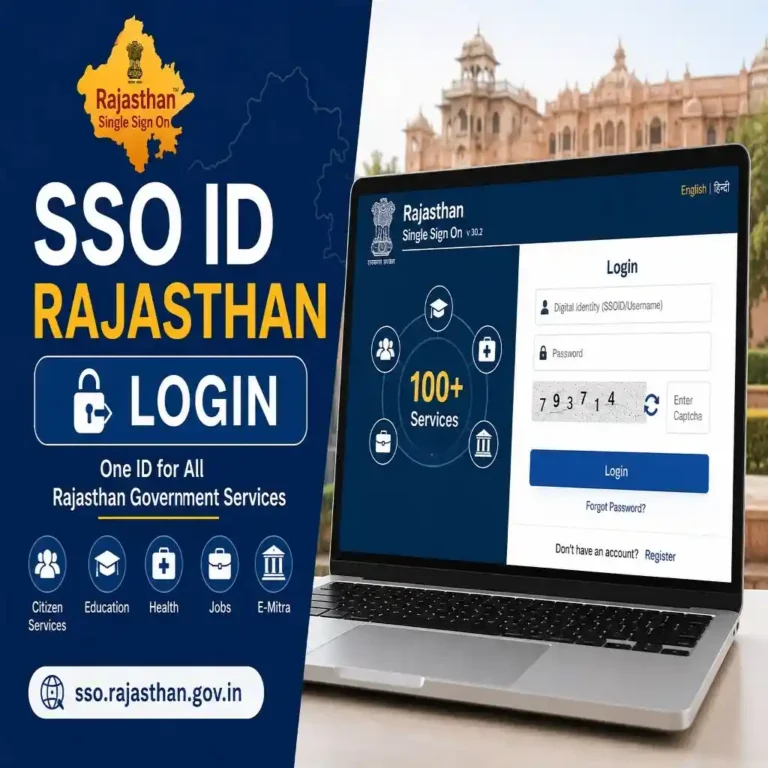
Step 2: Log In Using Your SSO ID
Click the login button on the portal homepage. Enter your SSO ID and password. Your SSO ID is your digital identity for all Rajasthan government services.
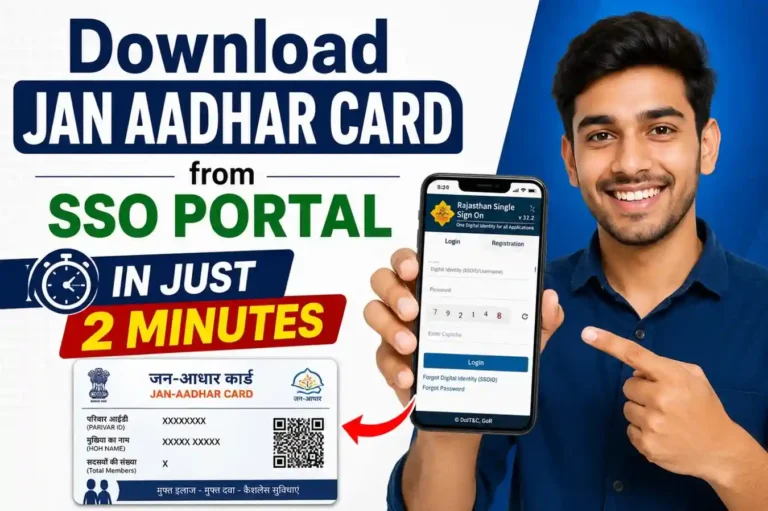
If you do not have an SSO ID, you must create one first. You can register using your Aadhaar, Jan Aadhaar, Bhamashah card, Google account or mobile number. Creating an SSO ID is free and takes less than 5 minutes.
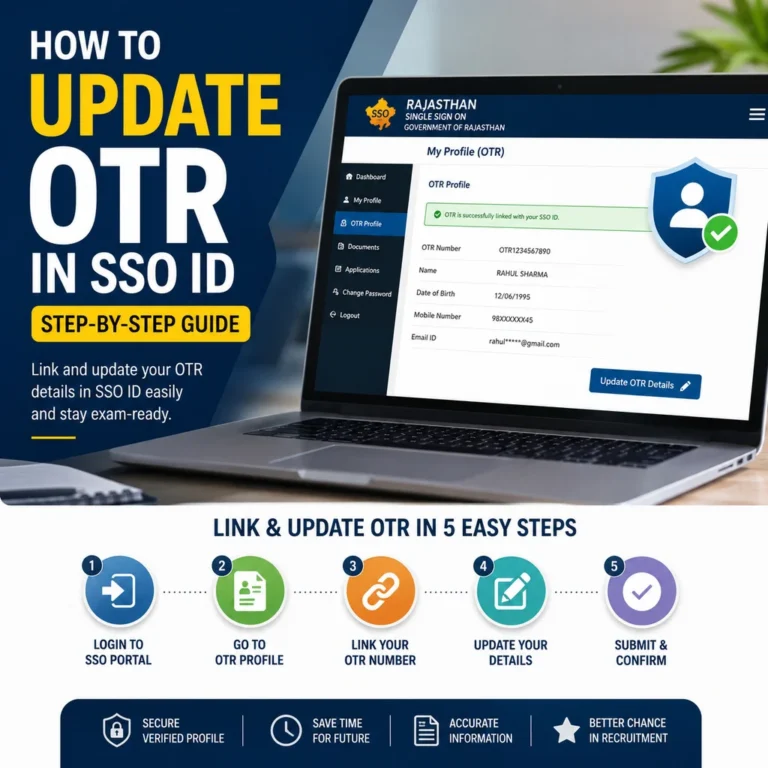
Step 3: Open the One-Time Registration (OTR) Section
After login, you will see the Recruitment Portal dashboard. Look for the section labeled One Time Registration” or “OTR Profile.” Click it to begin your profile setup.
Step 4: Fill in Personal Information
Enter your personal details carefully. Every detail must match your official documents. The fields you must fill out
- Full name (as on Aadhaar).
- Father’s name.
- Mother’s name.
- Husband’s name (if married).
- Date of birth.
- Gender
- Category: General / OBC / SC / ST / EWS.
- Residence / domicile details.
- Reservation category (if applicable).
- Mobile number.
- Email address.
Step 5: Enter Educational Qualifications
Add your academic information starting from Class 10 onwards. For each qualification, enter
- Name of education (10th, 12th, Graduation, etc.).
- Board or university name.
- Year of passing.
- Marks obtained (in percentage or CGPA).
Some data may be fetched automatically if your Aadhaar is linked with DigiLocker or Jan Aadhaar.
Step 6: Upload Documents
Upload scanned copies of the following
- Passport size photograph.
- Signature.
- Educational certificates.
- Caste or category certificate (if applicable).
Check the file size and format requirements on the portal before uploading. Most files should be JPEG format under 50 KB.
Step 7: Review All Information
Before submitting, read through every section carefully. Look for spelling mistakes, wrong dates or mismatched names. A small error in your OTR can create problems during document verification later.
Step 8: Submit Your OTR Profile
Once satisfied, click the Submit button. Your OTR registration is now complete.
Step 9: Save Your OTR ID and Login Credentials
After submission, you will receive an OTR ID. Write it down and save it. You will also need your SSO ID login credentials every time you apply for a new position. Never share your SSO ID and password with anyone.
How to Apply for Government Jobs via the State Recruitment Portal
Once your OTR is complete, applying for any government job becomes very fast. Your profile is already saved. You just select the job and submit.
Step 1: Log In to the Portal
Go to portal. Use your SSO ID Login to access your dashboard.
Step 2: Find the Job You Want to Apply For
From the dashboard, click on “Apply Jobs” or browse the active vacancies. Each listing shows
- Post name and department.
- Number of vacancies.
- Eligibility criteria.
- Application start and end date.
- Application fee details.
Click on any vacancy to see the full post details page. The URL usually contains “candipostdetailsservlet” for post-specific pages.
Step 3: Fill in the Application Form
Since your OTR profile is already complete, most fields will be pre-filled. Review them, add any post-specific details required and proceed.
Step 4: Pay the Application Fee
The fee can be paid online using
- Debit card (RuPay, Visa, MasterCard).
- Credit card.
- Net banking.
- UPI.
Fee amounts vary by post and category. SC, ST and PwD candidates often receive a fee waiver or reduced fee; check the official notification for the specific post. You can also pay through an eMitra center if you do not have internet access or a bank account. eMitra staff will assist you with the entire process.
Step 5: Submit and Print Your Application
After fee payment, submit your final application. The portal generates a confirmation with your application number. Print this page or save it as a PDF. You will need it for reference during later stages like admit card download and document verification.
Step 6: Check Your Application Status
Log in to the portal any time to check your application status. Go to “My Applications” in your dashboard. You can see whether your application is submitted, under review or shortlisted.
Eligibility Criteria: Who Can Apply?
Each vacancy on the State Recruitment Portal has its own eligibility criteria. However, there are some general rules that apply to most Rajasthan government jobs.
Age Limits
| Category | General Age Limit |
| General / Unreserved | 18 to 40 years (varies by post) |
| OBC (Non-Creamy Layer) | Up to 45 years |
| SC / ST | Up to 45 years |
| PwD (Persons with Disability) | Up to 45 years |
| Ex-Servicemen | Age relaxation as per rules |
| Widow / Divorced Women | Special relaxation applicable |
Educational Qualifications
Qualifications vary widely by post type
- Class 10 pass: for posts like peon, constable (some categories).
- Class 12 pass + computer certificate: For LDC, junior assistant.
- Graduate degree: for most RPSC posts, Patwari, and Junior Accountant.
- B.Sc. Agriculture: for agriculture supervisors.
- B.E. / B.Tech: for junior engineer posts.
- Professional degrees: for health and technical sector posts.
Domicile Requirement
Most posts on the State Recruitment Portal Rajasthan require candidates to be residents of Rajasthan. You must have a valid domicile certificate from the state.
Reservation Policy
Rajasthan follows a reservation system in all government sector recruitments. Category-wise horizontal and vertical reservation is applied as per state government rules. Candidates must submit valid caste certificates at the time of document verification.
Selection Process: Exam, Interview & Document Verification
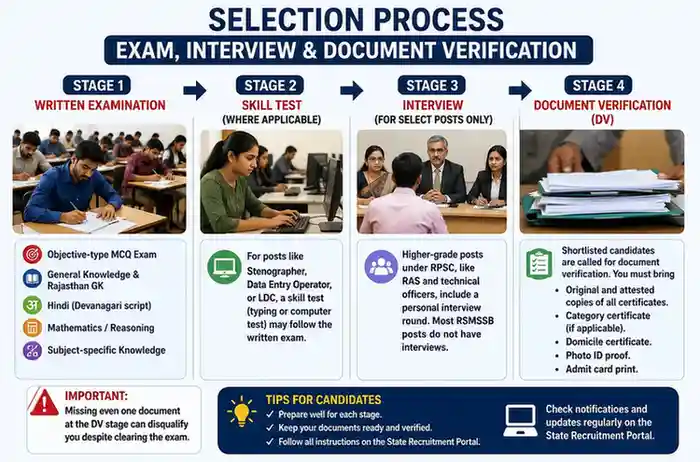
Getting shortlisted on the State Recruitment Portal is only the beginning. After you apply, you go through a structured selection process.
Stage 1: Written Examination
Most government job recruitments in Rajasthan start with an objective-type written exam (MCQ). Papers are usually in Hindi. The exam covers:
- General Knowledge and Rajasthan GK.
- Hindi (Devanagari script knowledge required).
- Mathematics / Reasoning.
- Subject-specific knowledge (for technical posts).
The LDC exam, for example, has 300 MCQ questions worth 200 marks. The agriculture supervisor exam focuses on agriculture and horticulture science.
Stage 2: Skill Test (Where Applicable)
For posts like stenographer, data entry operator, or LDC, a skill test (typing or computer test) may follow the written exam.
Stage 3: Interview (For Select Posts Only)
Higher-grade posts under RPSC, like RAS and technical officers, include a personal interview round. Most RSMSSB posts do not have interviews.
Stage 4: Document Verification (DV)
Shortlisted candidates are called for document verification. You must bring
- Original and attested copies of all certificates.
- Category certificate (if applicable).
- Domicile certificate.
- Photo ID proof.
- Admit card print.
Missing even one document at the DV stage can disqualify you despite clearing the exam.
Admit Card Download
You can download your admit card directly from the portal. The URL section is rectlogingetadmitcard. Log in with your SSO ID Login, go to “Admit Card” in the dashboard and download the hall ticket for your exam. No physical admit card is issued by post.
Result Checking
Results are published on the portal under the Results Page (result servlet section). You can also find merit lists and cutoff marks here after results are declared.
Important Dates & Upcoming Exam Calendar 2026
The Government of Rajasthan has announced 44 competitive exams to be held in 2026. This is the largest recruitment cycle in recent years. Use this table to plan your preparation.
| Recruitment | Notification Date | Exam Date / Status |
| LDC / Junior Assistant | 12 Jan 2026 | Application closed 13 Feb 2026 |
| Agriculture Supervisor | Jan 2026 | Exam: 18 Apr 2026 |
| Primary School Teacher (L-1) | 2025 | Admit card issued |
| Junior Engineer (JE) | Expected 2026 | Exam: Nov 2026 (tentative) |
| Forest Guard (Vanpal) | Jan-Feb 2026 | Application closed |
| Common Eligibility Test (CET) | Expected 2026 | TBA |
| Junior Accountant | Expected 2026 | TBA |
| Informatics Assistant | Expected 2026 | TBA |
| Lab Assistant | Expected 2026 | TBA |
How to Get Notifications Without Missing Any Update
Enable email and SMS alerts from your State Recruitment Portal account settings. You can also
- Follow the official RSMSSB and RPSC websites.
- Check the News and Notices page on the portal (news servlet section).
- Visit eMitra if you do not have regular internet access.
Tips to Maximize Your Chances of Selection
Applying on the state recruitment portal is the easy part. Getting selected takes strategy and preparation. Here are proven tips to help you succeed.
Fill Your OTR with 100% Accuracy
Your OTR data flows into every job application. A single mistake, like a wrong date of birth or misspelled name, can disqualify you at the document verification stage. Match every entry to your official certificates.
Apply Early
Hundreds of thousands of candidates apply for popular posts like LDC or Patwari. On the last day, government servers become slow and sometimes crash. Apply in the first week of the application window. Do not wait until the last date.
Keep Your Scanned Documents Ready in Advance
Before applying for any post, prepare your documents. Know the required file format (usually JPEG) and size limits (usually 50 KB for photo, 30 KB for signatures). Keep updated versions ready. Uploading wrong or oversized files is one of the most common errors.
Enable Email and SMS Alerts from the Portal
Government job notifications come and go quickly. Enable alerts in your portal account settings. This way you get an immediate notification every time a new vacancy is posted or an exam date is announced.
Verify Your Admit Card Immediately After Download
Do not wait until the day before the exam to check your admit card. Download it as soon as it is released. Check your name, roll number, exam center and exam date. If there is any error, contact the helpdesk immediately at [email protected].
Prepare Specifically for the Post You Apply For
Each post has its own exam pattern and syllabus. For technical posts like JE or agriculture supervisor, you need strong subject knowledge. For clerical posts like LDC, reasoning, Hindi, and typing speed matter most. Focus your preparation on what the specific exam tests.
Visit eMitra if You Need Help
If you face any issue with internet connectivity, document upload problems, or fee payment errors, visit your nearest eMitra center. Staff there are trained to help citizens with all state recruitment portal tasks for free or a minimal service fee. You can also visit emitra.rajasthan.gov.in for the nearest center.
Integration with Rajasthan Government Digital Services
The State Recruitment Portal does not work in isolation. It is deeply integrated with Rajasthan’s wider digital ecosystem:
- SSO ID Your single login for 250+ government services in Rajasthan. One account connects you to the recruitment portal, scholarship portal, utility bill payments, and more. See our complete guide on SSO ID.
- SSO ID Login: The gateway to your Recruitment Portal dashboard. Without logging in, no service is accessible. Your credentials are secured by the state’s IT department.
- eMitra: A network of over 50,000 kiosks across Rajasthan. These centers help citizens access digital government services even in villages. You can apply for government jobs, pay fees and download documents at any eMitra center.
- Jan Soochna Portal: Provides public information about government schemes and citizen rights. Integrated with the SSO system for seamless access.
DigiLocker automatically fetches your Aadhaar-linked documents during OTR, reducing manual upload work. This integration means the State Recruitment Portal serves a very wide range of people: working professionals, women re-entering the workforce, rural candidates who recently completed education, and first-time job seekers from every corner of Rajasthan.
Who Should Use the State Recruitment Portal?
The portal is designed for anyone in Rajasthan who is interested in a government sector career. Specifically
- Students who have just completed Class 10, 12 or graduation and want to explore government job options.
- Career seekers at any age who meet the eligibility criteria for state government jobs.
- Women who want a safe, respectable and stable career in the government sector.
- Rural candidates who may not have easy access to information but can use eMitra centers.
- Working professionals who want to transition into a more stable government career.
- Previously unsuccessful applicants who want to reapply with a fully prepared profile.
If you dream of a stable career in the government sector, the State Recruitment Portal Rajasthan is the right starting point in 2026.
Conclusion: Your Career Starts at the State Recruitment Portal
The State Recruitment Portal 2026 is one of the most important government initiatives for job seekers in Rajasthan. It removes the confusion of visiting multiple websites. It saves time. It gives every candidate from cities to villages fair and equal access to government job notifications and online application services.
The steps are simple. Create your SSO ID. Complete your OTR profile once. Browse the latest government job vacancies. Apply online in minutes. Check your status, download your admit card and prepare for selection.
This year, the Government of Rajasthan has committed to filling over 1 lakh posts through 44 examinations. The opportunity is real. The platform is ready. Your next step is to register and start applying.
👉 Create Your SSO ID Now It is free and takes less than 5 minutes.
👉 Login with SSO ID to Apply for jobs. Access all open vacancies right now.
For any issue, contact the portal helpdesk at [email protected] or visit your nearest eMitra center.
FAQs
What is the State Recruitment Portal?
The State Recruitment Portal is the official online platform of the Government of Rajasthan. It gives candidates a single place to view all government job notifications, complete one-time registration, pay fees, download admit cards and check results. The official URL is recruitment.rajasthan.gov.in
How do I register on the State Recruitment Portal 2026?
Visit recruitment.rajasthan.gov.in. Log in with your SSO ID. Go to the OTR section. Fill in your personal and educational details, upload your documents, and submit. You receive an OTR ID after successful registration. See Section 3 of this article for the complete step-by-step process.
How do I reset my password on the State Recruitment Portal
Your portal login uses the same credentials as your SSO ID. If you forget your password, go to sso.rajasthan.gov.in and click “Forgot Password.” You can reset it using your registered mobile number (OTP) or email. You can also send “RJ SSO PASSWORD” to 9223166166 from your registered number.