How to Update OTR in SSO ID Online (Step-by-Step Guide)
You applied for a government job. You filled out all the forms. Then the portal asked for your OTR number and SSO ID link. Now you are stuck.
To update OTR in SSO ID online, log in to your SSO account at sso.rajasthan.gov.in. Open Recruitment Services from your dashboard. Go to your linked OTR profile. Click Edit, make your changes, upload the required documents and save. Your update reflects within 24 to 72 hours depending on the type of change
This guide walks you through everything. What OTR is. What SSO ID is. How to register for OTR. How to connect OTR with SSO ID. And exactly how to update OTR in SSO ID online when your details change.
Whether you are a first-time applicant or correcting old information, this guide covers it all.
What is OTR?
OTR Full Form
OTR stands for One Time Registration. It is a centralized candidate profile system used across government recruitment portals in India. You register once and use the same profile for multiple job applications.
Before OTR, applicants had to fill in their personal details, educational qualifications and documents for every single recruitment. OTR changed that completely.
What is an OTR ID?
Your OTR ID is the unique identity number generated after you complete your one time registration. It stores your candidate profile, your documents, your educational records and your personal information in one place.
Every time you apply for a government job through a recruitment portal, your OTR ID pulls your saved data automatically. You do not re-enter the same details repeatedly.
Why OTR is Required
Government recruitment portals across Rajasthan, including RPSC and RSSB, now require OTR as a mandatory step before submitting any job application.
Here is why it matters. Single registration covers multiple recruitments. You register once and apply to as many vacancies as you want. Your applicant profile stays consistent across all applications.
It also reduces rejection risk. When your personal details, category and documents are pre-verified in your OTR profile, errors in the application go down sharply.
What is SSO ID and How SSO ID Works?
SSO stands for Single Sign-On. The Rajasthan government launched the SSO portal to give citizens one account for all state government digital services.
Think of your SSO ID as a master key. You log in once at the SSO portal. Then you access all connected government platforms without separate logins for each one.
The SSO portal integrates with recruitment portals, the eMitra platform, the Jan Soochna Portal, scholarship systems and more. When you visit sso-id.se, you will find a full breakdown of all the services available through your SSO account
OTR Registration Process
1. Eligibility for OTR Registration
Any Indian citizen who plans to apply for government jobs through state or central recruitment portals can register for OTR. You need a valid Aadhaar number, an active mobile number and a working email address.
2. Documents Required for OTR Registration
Keep these ready before you start:
- Aadhaar card.
- Passport-size photograph (as per portal specifications).
- Signature image.
- Educational qualification certificates.
- Category certificate if applicable (SC, ST, OBC, EWS).
- Date of birth proof.
3. How to Register for OTR Online
Follow these steps carefully.
Step 1: Visit the official recruitment portal for your target board, such as the RPSC or RSSB website.
Step 2: Click on the OTR Registration option on the homepage.
Step 3: Enter your Aadhaar number and verify with OTP on your registered mobile number.
Step 4: Fill in your personal details. Name, date of birth, category, address and contact information.
Step 5: Add your educational qualifications section by section.
Step 6: Upload all required documents in the correct format and size.
Step 7: Submit your registration. The portal generates your OTR number and sends it to your mobile and email.
Save that OTR number immediately. You will need it every time you apply for a government job.
How to Login to OTR Account
OTR Login Steps
Go to the official recruitment portal. Click the OTR Login button. Enter your registered mobile number or Aadhaar number. Enter your password. Click login to access your candidate profile.
Recover Forgotten OTR Credentials
Click on the Forgot Password option on the login page. Select your recovery method, mobile OTP or Aadhaar OTP. Enter the OTP you receive. Create a new password. Log in again with your updated credentials.
Common OTR Login Issues
Some applicants face OTR login problems. Here are the most common ones and what causes them.
| Issue | Likely Cause |
|---|---|
| OTP not received | Mobile number not registered or network issue |
| Account locked | Multiple failed login attempts |
| Aadhaar mismatch | Wrong Aadhaar number entered |
| Portal not loading | Browser cache or outdated browser |
Clear your browser cache first. Use Chrome or Firefox. Always enter details exactly as they appear on your documents.
What is an OTR Number and Where to Find Your OTR Number?
Your OTR number was sent to you via SMS and email when you completed registration. Log in to your OTR account and check your dashboard. The registration number appears at the top of your candidate profile page.
If you did not save it, log in and look under the My Profile or My Applications section.
How OTR Number is Used
Your OTR number is the key that links your candidate profile to any job application. When a recruitment board opens a new vacancy, you enter your OTR number during the application process. The portal fetches your saved details automatically.
Difference Between OTR ID and Registration Number
Many applicants confuse these two. Here is the simple difference.
| Term | What It Means |
|---|---|
| OTR ID | Your unique one time registration identity number |
| Application Registration Number | The number generated for a specific vacancy application |
Your OTR ID stays the same forever. Your application registration number changes for each job you apply to.
What is SSC OTR?
SSC OTR is the One Time Registration system used by the Staff Selection Commission at the central government level. It works on the same principle as state-level OTR systems but applies to SSC examinations like CGL, CHSL, MTS and others.
You register once on the SSC OTR portal. Your profile covers all future SSC exam applications.
Benefits of SSC OTR Registration
You fill in your details one time. Every SSC exam you apply for pulls from the same profile. You do not re-upload your documents for each exam. This saves time and reduces application errors significantly.
SSC OTR vs State Recruitment OTR Systems
| Feature | SSC OTR | Rajasthan State OTR (RPSC/RSSB) |
|---|---|---|
| Governing Body | Staff Selection Commission | RPSC, RSSB, State Boards |
| Portal | ssc.gov.in | recruitment.rajasthan.gov.in |
| Linked Account | SSC login | Rajasthan SSO ID |
| Covers | Central govt exams | State govt exams |
Both systems follow the same core idea. One registration profile, multiple applications. But they are separate systems and do not share data with each other.
How to Connect OTR With SSO ID Online
Why Linking OTR to SSO ID is Necessary
Rajasthan government recruitment portals sit inside the SSO ecosystem. To apply for any state recruitment through the SSO portal, your OTR profile must be linked to your Rajasthan SSO ID.
Without this link, the recruitment section inside your SSO dashboard will not recognize your candidate profile. You will not be able to submit applications.
Prerequisites Before Linking
Before you start the linking process, make sure you have all three of these ready:
- An active SSO account with a verified mobile number.
- A valid OTR number from your completed registration.
- Updated personal information that matches across both your SSO profile and your OTR profile.
Details must match exactly. Name spelling, date of birth and mobile number must be identical in both systems. A mismatch causes a verification failure.
Steps to Link OTR With SSO ID
Here is exactly how to connect OTR with SSO ID. Follow each step carefully.
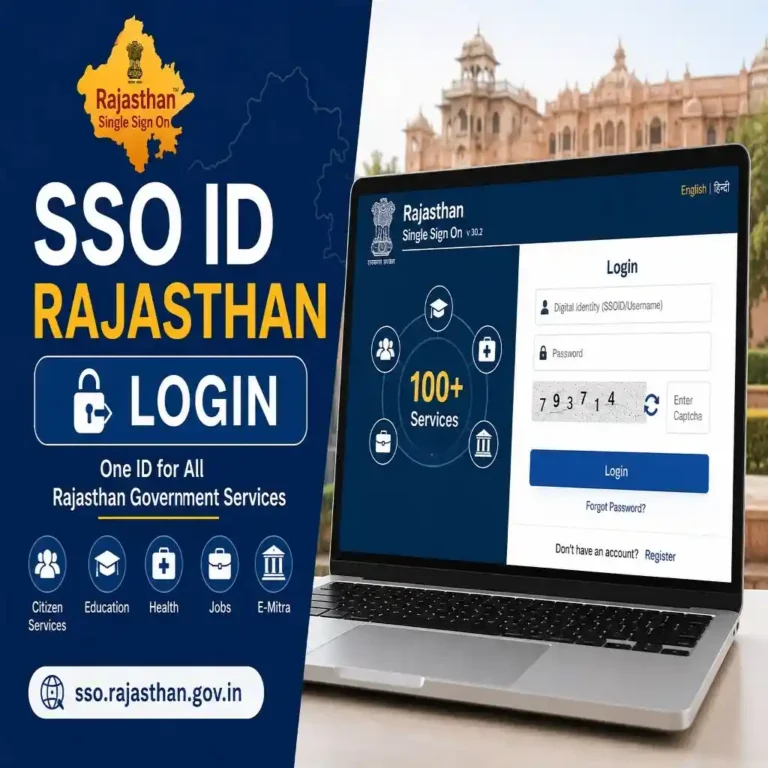
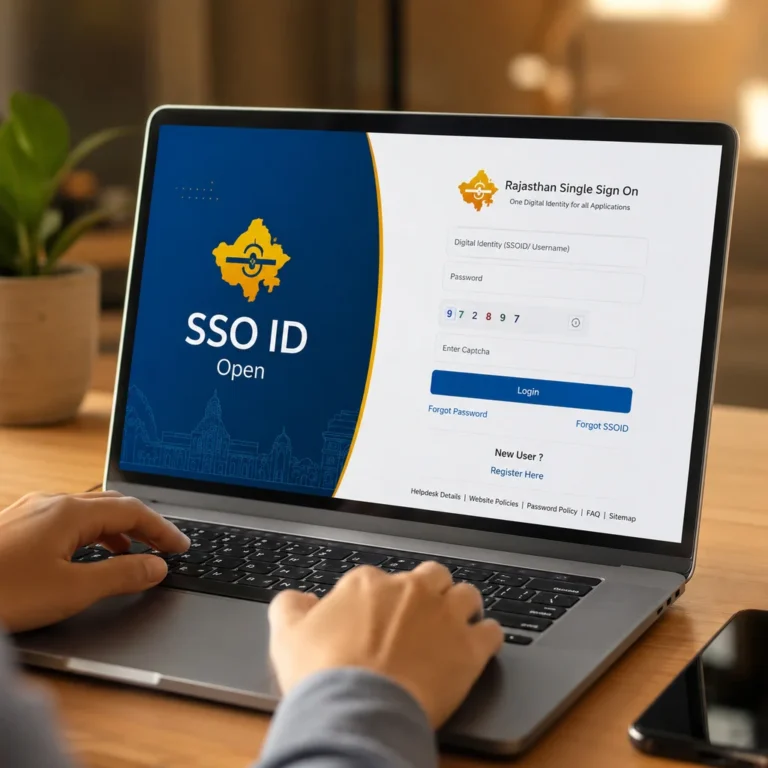
Step 1: Login to SSO Portal Go to sso.rajasthan.gov.in. Enter your SSO ID and password. Click Login to access your dashboard.
Step 2: Open Recruitment or OTR Services Inside your SSO dashboard, look for the Recruitment Services or One Time Registration option. This may also appear under the Employment section depending on the current portal version.
Step 3: Enter OTR Number A text field will ask for your OTR number. Enter the exact number you received during your OTR registration. Double check every digit before proceeding.
Step 4: Verify Personal Details The portal will display the details stored in your OTR profile. Check that your name, date of birth, category and mobile number match your SSO account details. If anything does not match, stop here and fix the mismatch first.
Step 5: Submit and Confirm Linking Click the Submit or Link button. The system will verify your OTR number against your SSO account. A success message will confirm that your OTR is now linked to your SSO ID.
How to Verify Successful OTR Linking
After completing the linking, go back to your SSO dashboard. Open the Recruitment Services section. Your OTR profile details should now appear there directly. If your name and registration number are visible, the link is confirmed and working.
How to Update OTR in SSO ID Online
This is the core process most applicants need. Knowing how to update OTR in SSO ID online correctly protects your application from rejection.
When You Should Update OTR Information
Update your OTR profile whenever any of the following changes:
- You get a new mobile number.
- Your address has changed.
- You completed a new educational qualification.
- Your category certificate status changed.
- You find a spelling error in your name.
Do not wait until a vacancy opens to fix outdated details. Update immediately when something changes.
Details That Can Be Updated
The OTR profile lets you update the following information:
- Full name (with supporting documents).
- Mobile number.
- Email address.
- Residential and permanent address.
- Educational qualifications and institution details.
- Category and reservation details.
- Uploaded documents.
Steps to Update OTR in SSO ID Online
Follow these steps to complete your otr update in sso portal correctly.
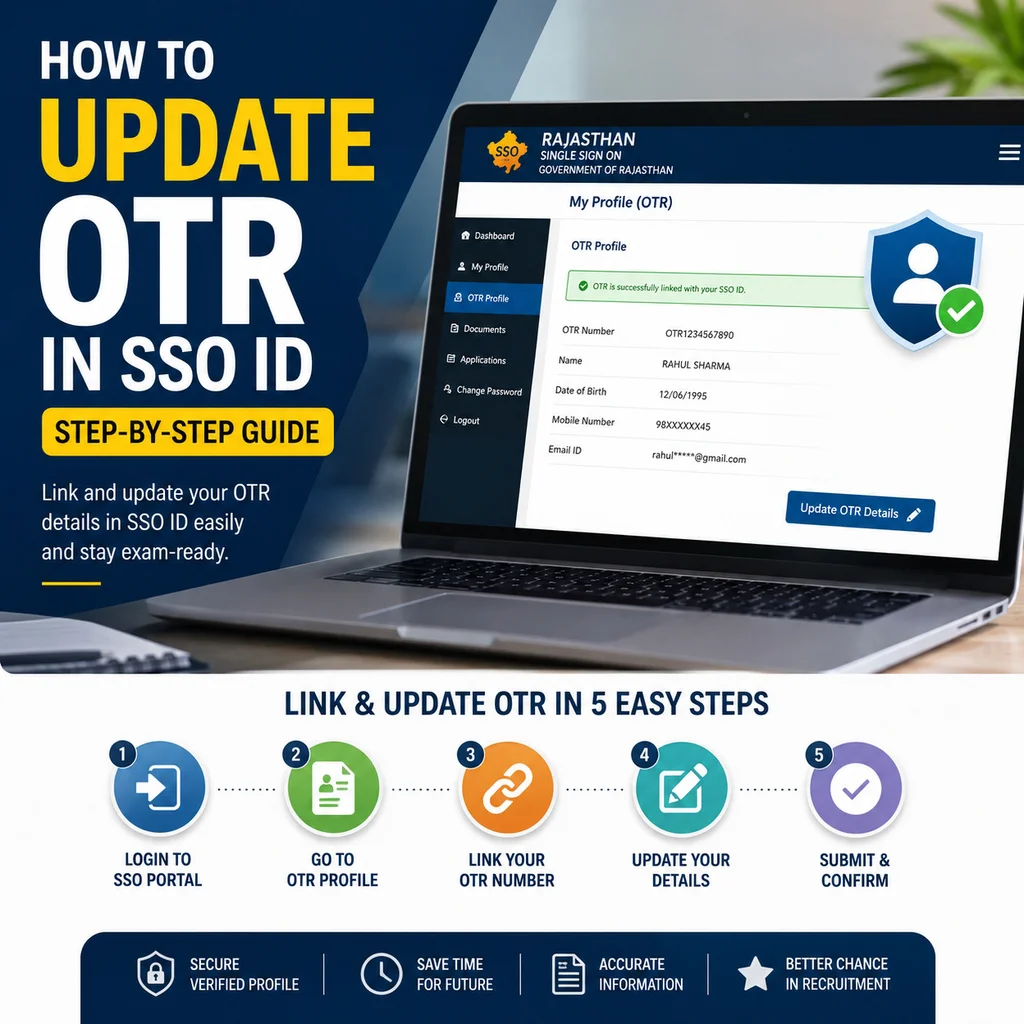
Step 1: Login to SSO ID and go to sso.rajasthan.gov.in. Enter your SSO ID and password. Click Login.
Step 2: Navigate to OTR Profile From your dashboard, open the Recruitment Services section. Find and click on your linked OTR Profile or One Time Registration option.
Step 3: Edit Required Information Click the Edit or Update Profile button. Make the changes you need. Enter new details carefully and check the spelling of every field.
Step 4: Upload Supporting Documents For any information changes, the portal requires supporting documents. If you are updating your name, upload your Aadhaar card or a gazette notification. For qualification updates, upload your degree or marksheet.
Step 5: Save Changes Click Save or Submit Changes. You will receive a confirmation on your registered mobile number and email address.
How Long OTR Updates Take to Reflect
Minor updates like mobile number or address reflect within 24 to 48 hours. Changes requiring document verification, such as name correction or category update, may take 3 to 7 working days. Check your profile after this period to confirm the update is complete.
Common Problems While Updating OTR in SSO ID
OTR Number Not Showing
This usually happens when the linking step was not completed properly. Go back to your SSO dashboard and re-enter your OTR number in the Recruitment Services section. Make sure there are no extra spaces in the number field.
OTR and SSO Details Do Not Match
This is the most common problem. Your name or date of birth in your SSO profile does not match what is in your OTR profile. Fix the mismatching profile first. Update either your SSO account details or your OTR profile so both carry identical information. Then try linking again.
Verification Failed Error
A verification failed message usually means one of two things. Your Aadhaar OTP expired before you submitted. Or the details you entered do not match Aadhaar records. Start the process again with fresh OTP and verify all fields carefully.
Mobile Number Not Verified
If your mobile number is not verified in your SSO account, OTR linking will fail. Go to your SSO profile settings. Update and verify your mobile number with OTP first. Then return to the OTR linking process.
OTR Update Not Saving
This can happen due to a browser issue or an incomplete document upload. Make sure all mandatory document fields are filled. Try a different browser. Clear cache and cookies. If the problem continues, contact SSO helpdesk at 0141-5153222.
How to Correct Wrong Information in OTR
Name Correction Process
To correct your name in OTR, log in to your OTR profile. Go to the name field and enter the correct spelling. Upload a government-issued ID that shows the correct name. Submit and wait for verification. For significant name changes, a gazette notification may be required.
Date of Birth Correction
Date of birth corrections are more sensitive. The portal requires your Aadhaar card as proof. Submit the correction request with the correct date and supporting document. The verification team reviews this manually, so allow up to 7 working days.
Category and Reservation Updates
If your category details are wrong, upload the correct caste or category certificate issued by a competent authority. Make sure the certificate is current and valid. Expired certificates are not accepted.
Document Re-Upload Process
To re-upload a document, go to your OTR profile. Open the Documents section. Click Replace or Re-upload next to the document you want to change. Upload the new file in the required format (usually JPEG or PDF under 200KB). Save the changes.
Benefits of Keeping OTR Updated
Faster Application Submission
When your OTR profile is current and accurate, you apply for new vacancies in minutes. The portal auto-fills your details. You review, confirm and submit. No re-entering anything.
Reduced Rejection Risk
Applications get rejected when candidate profile data does not match submitted documents. Keeping your OTR updated ensures consistency across your recruitment application process every time.
Accurate Recruitment Records
Your OTR profile is your official candidate identity with the recruitment board. Accurate records mean your applications go through without manual checks or queries.
Easier Access to Future Vacancies
When a new vacancy opens, your updated profile is already ready. You do not scramble to gather documents or correct errors under time pressure. You just apply.
Frequently Asked Questions
What is the full form of OTR?
OTR stands for One Time Registration. It is a one-time candidate profile system for government job applicants.
What is an OTR number?
Your OTR number is the unique registration number generated after you complete your one time registration. It acts as your permanent candidate identity across all recruitment applications
How can I find my OTR number?
Log in to your OTR account on the relevant recruitment portal. Your OTR number appears on your dashboard and in the registration confirmation SMS and email you received.
Can I update my OTR details after registration?
Yes, you can update most details including your mobile number, address, educational qualifications and category information. Some changes require supporting documents for verification.
How do I link OTR with SSO ID?
Log in to your SSO ID at sso.rajasthan.gov.in. Open Recruitment Services from your dashboard. Enter your OTR number and verify that your details match. Submit to complete the link.
Why is my OTR not connecting to SSO ID?
The most common reason is a mismatch between details in your SSO profile and your OTR profile. Check that your name, date of birth and mobile number are identical in both accounts and try again.
Is OTR mandatory for government job applications?
Yes. For all Rajasthan state recruitment portals and SSC central recruitment, OTR registration is now mandatory before submitting any job application.
Can I use one OTR for multiple recruitments?
Yes. That is the entire purpose of OTR. One registration covers all future applications on the connected recruitment portal. You do not register again for each vacancy.
How long does OTR verification take?
Basic registration verification happens within a few hours. Document-based changes like name or date of birth corrections can take 3 to 7 working days.
Can I change my mobile number in OTR?
Yes. Log in to your OTR profile, go to the personal details section, update the mobile number and verify with OTP. Make sure the new number also matches your SSO account.
What is SSC OTR?
SSC OTR is the One Time Registration system for the Staff Selection Commission. It covers central government exams like CGL, CHSL and MTS. It is separate from the Rajasthan state OTR system.
How to correct my name in OTR?
Log in to your OTR profile. Edit the name field and enter the correct name. Upload a valid government ID showing the correct name. Submit the request and wait for approval.
References
- Official Rajasthan SSO Portal
- RPSC Official Website
- RSSB Official Website
- SSC Official Portal:
- Rajasthan IT Department